.svg)
Summer Update: Improvements & Features
This update also launches our new News Center right inside LearningSuite. Going forward, we'll regularly keep all team members and administrators informed about new features, product improvements, important changes, and announcements across LearningSuite.
That means you'll never miss a relevant update again and can see directly in LearningSuite what's changed and which new possibilities are available to you.
We're kicking things off with our August update, including Event Plan 2.0, more flexible Course access in Bundles, new submission options, Community polls, and many more improvements.
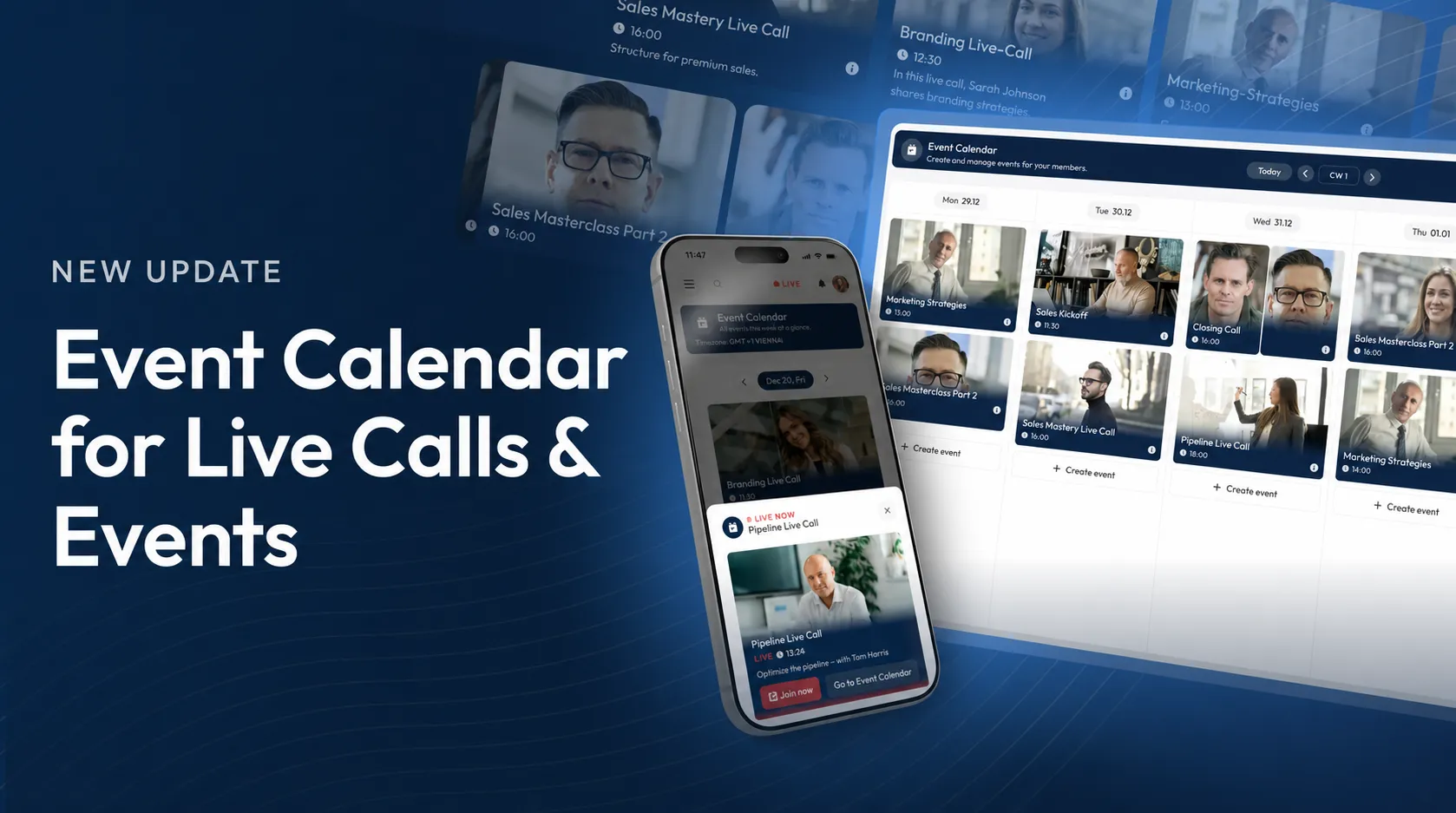
Event Plan 2.0
We've completely redesigned the Event Plan, giving you far more flexibility when planning live calls, webinars, and in-person events.
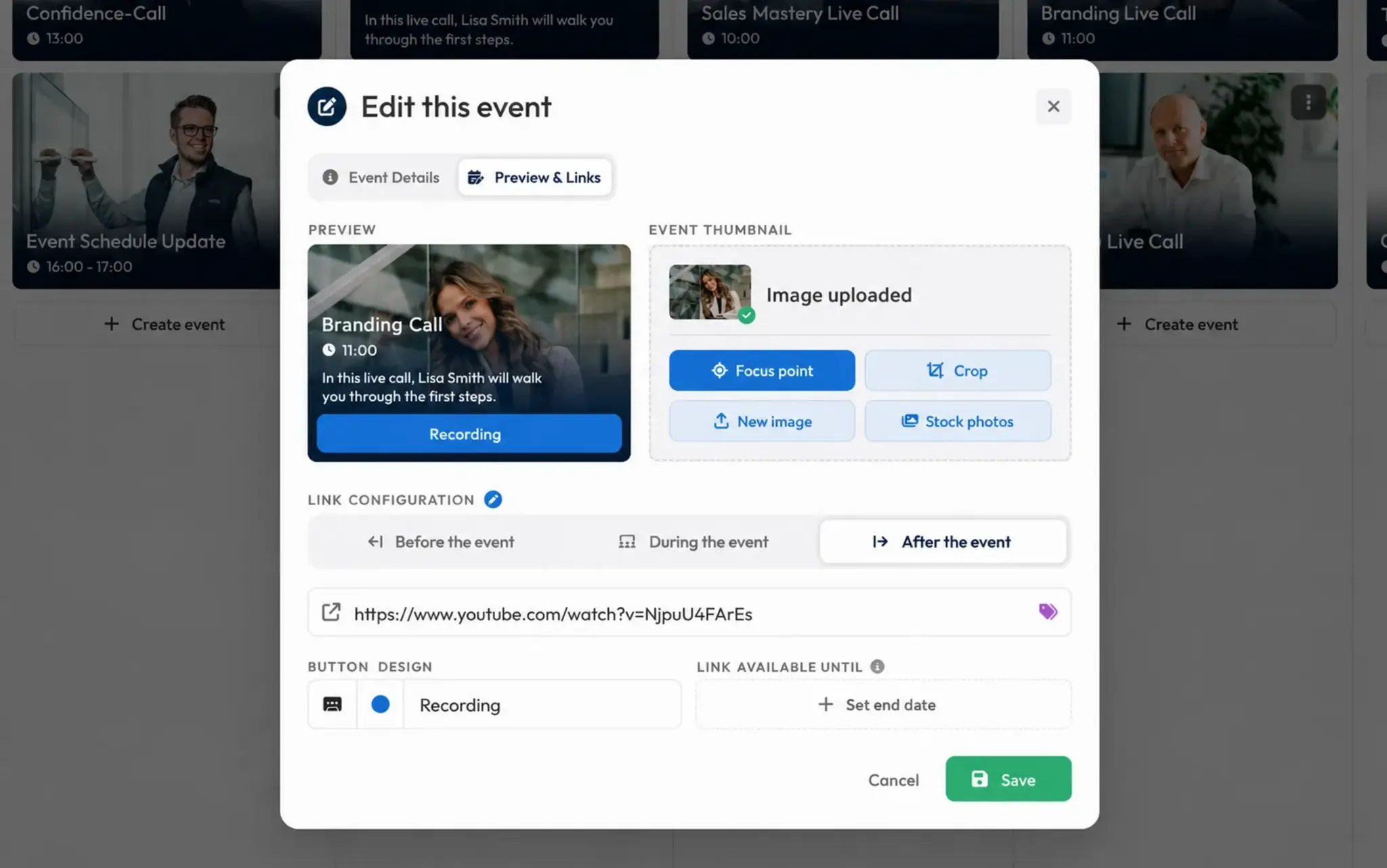
What's New in Event Plan 2.0:
- Edit individual dates: You can now change or delete individual dates within a series.
- New event creation: A clearer three-step process with a live preview.
- Flexible event links: Display links before, during, and after an event. For live calls, you can set how many minutes before the start the access link becomes visible.
- For in-person events too: Create events without a live link and add directions, check-in links, or information links instead.
- More event details: Add extra information and an agenda directly to each event.
- Notifications: Email and push notifications for upcoming, rescheduled, or canceled events.
- Calendar sync: Connect your entire Event Plan to Apple Calendar, Google Calendar, or Outlook via iCal.
- Mobile enhancements: Numerous improvements for smartphones and tablets.
Flexible Course Access in Bundles
With the new conditions for Bundles, you can now control much more precisely when each Course is unlocked for a Member. This lets you map even more complex learning paths and access logic directly in LearningSuite.
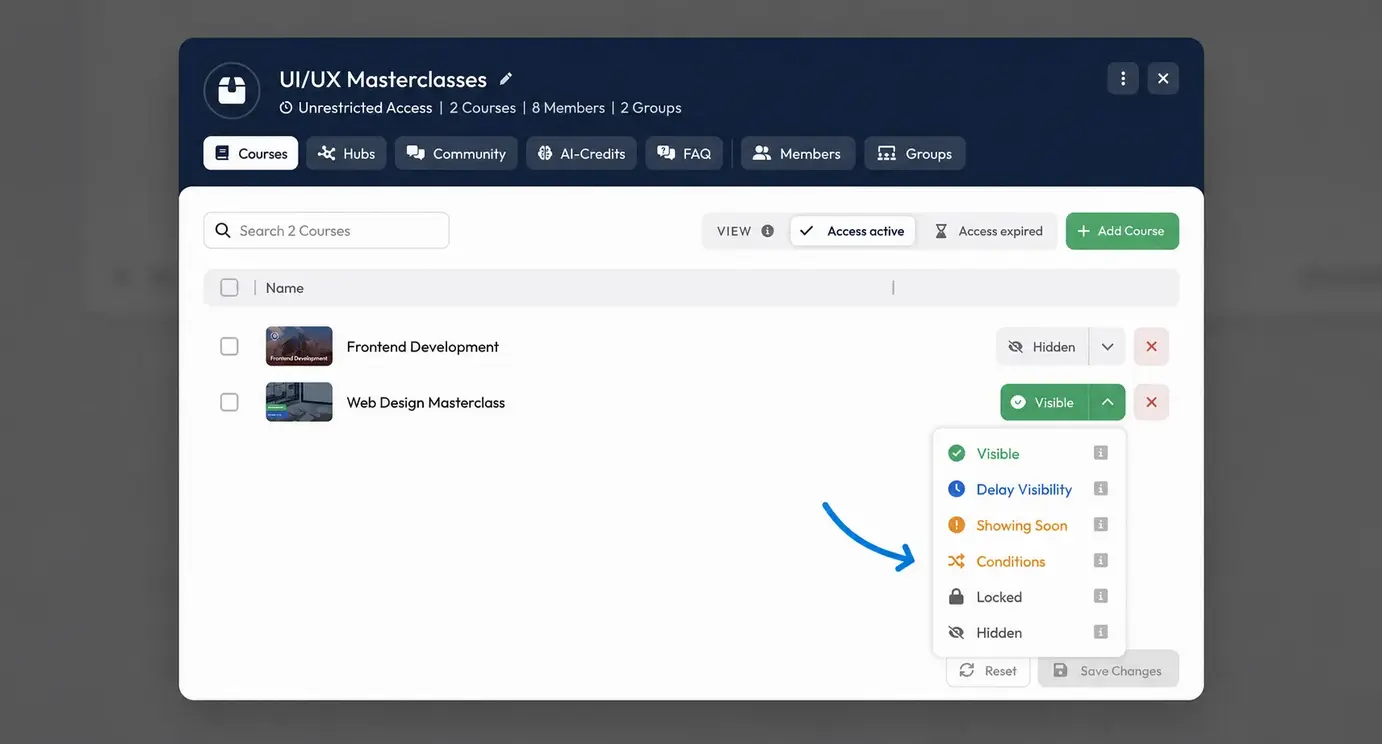
What's New With Bundle Conditions:
- Custom access: Unlock Courses based on a date, membership duration, or Member Properties.
- Dependent learning paths: Use completed Lessons, Course progress, or passed exams as requirements for additional Courses.
- Factor in access: Conditions can also depend on whether a Member is already enrolled in specific Courses, groups, or Bundles.
- Combine multiple conditions: Link different rules together and organize them into different rule groups.
- Flexible display: Until conditions are met, you can display Courses as locked or with a corresponding notice, for example.
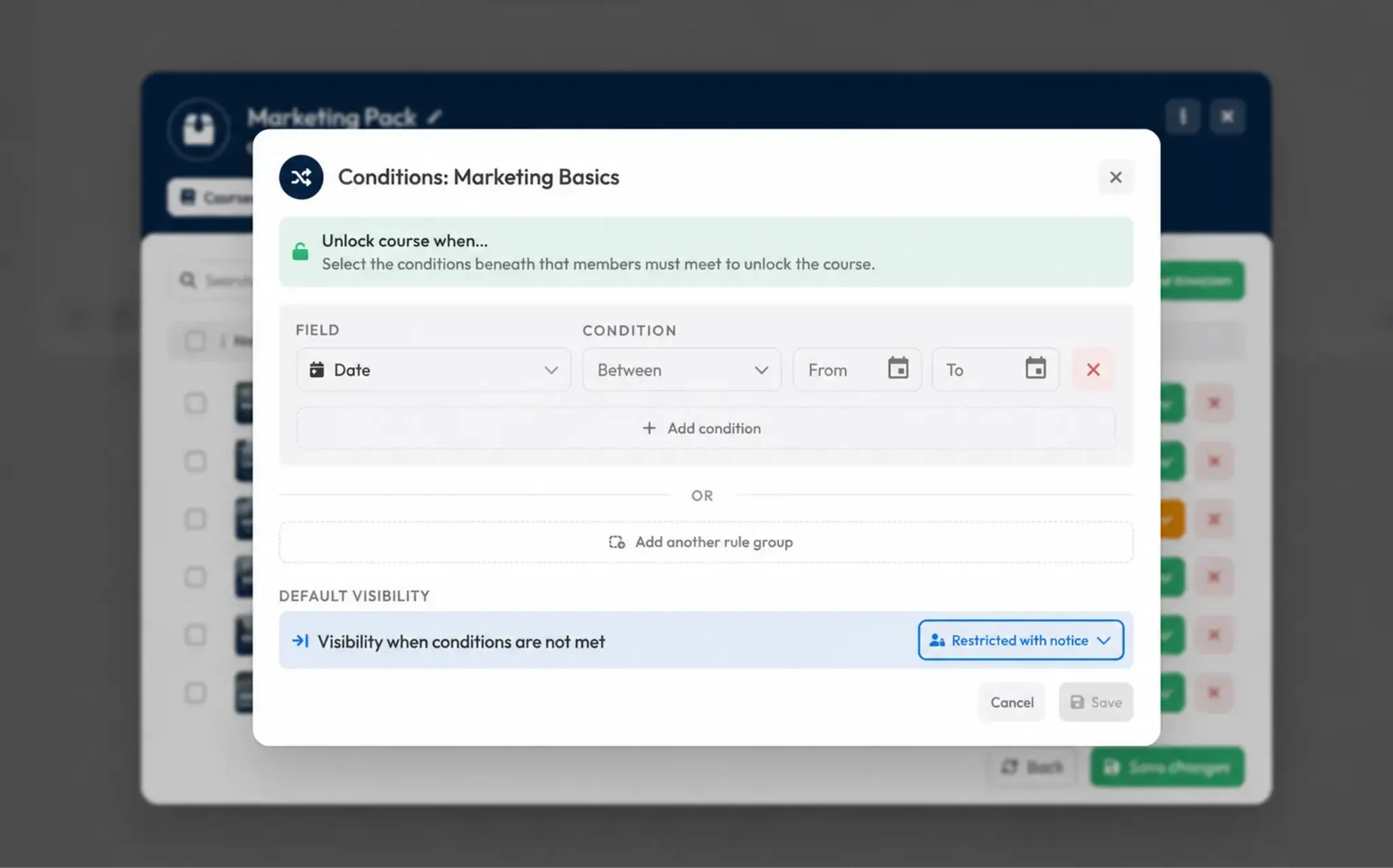
For example, you can set: “Course 2 only becomes visible once Course 1 is at least 80% complete and the final exam has been passed.”
More Options for Submissions
Submission feedback is now much more flexible: trainers and Members can now do more than exchange text—they can add different types of media directly to their comments.
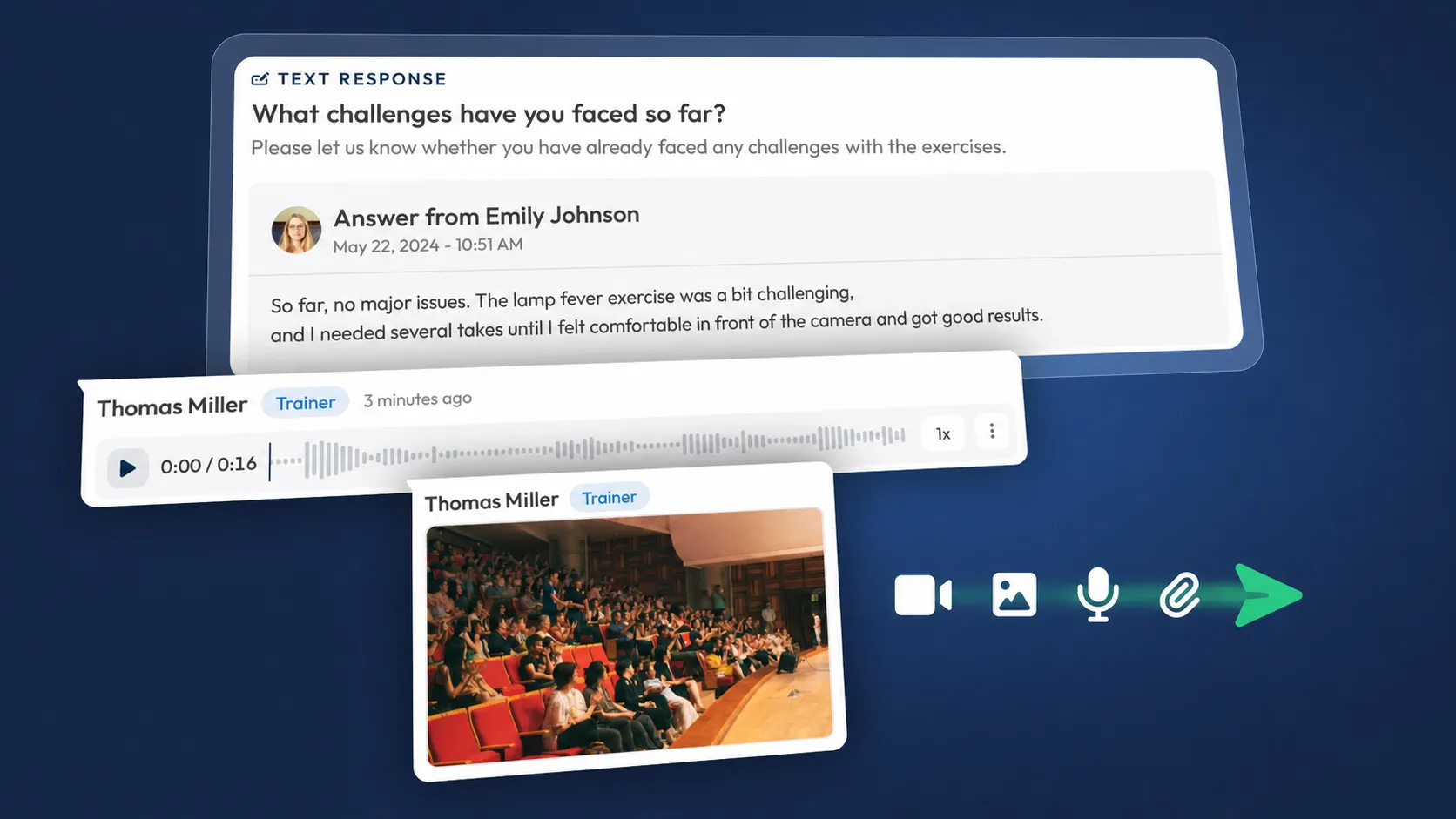
What's New in Submission Comments:
- Images & files: Upload attachments directly in a comment.
- Video feedback: Record or add videos and share them directly with the submission.
- Audio feedback: Record voice messages and deliver personal feedback.
- Everything in one place: Text and media stay directly with the relevant submission, making everything easy for everyone involved to follow.
This makes the submission feature even better suited for personal, detailed, and practical feedback.
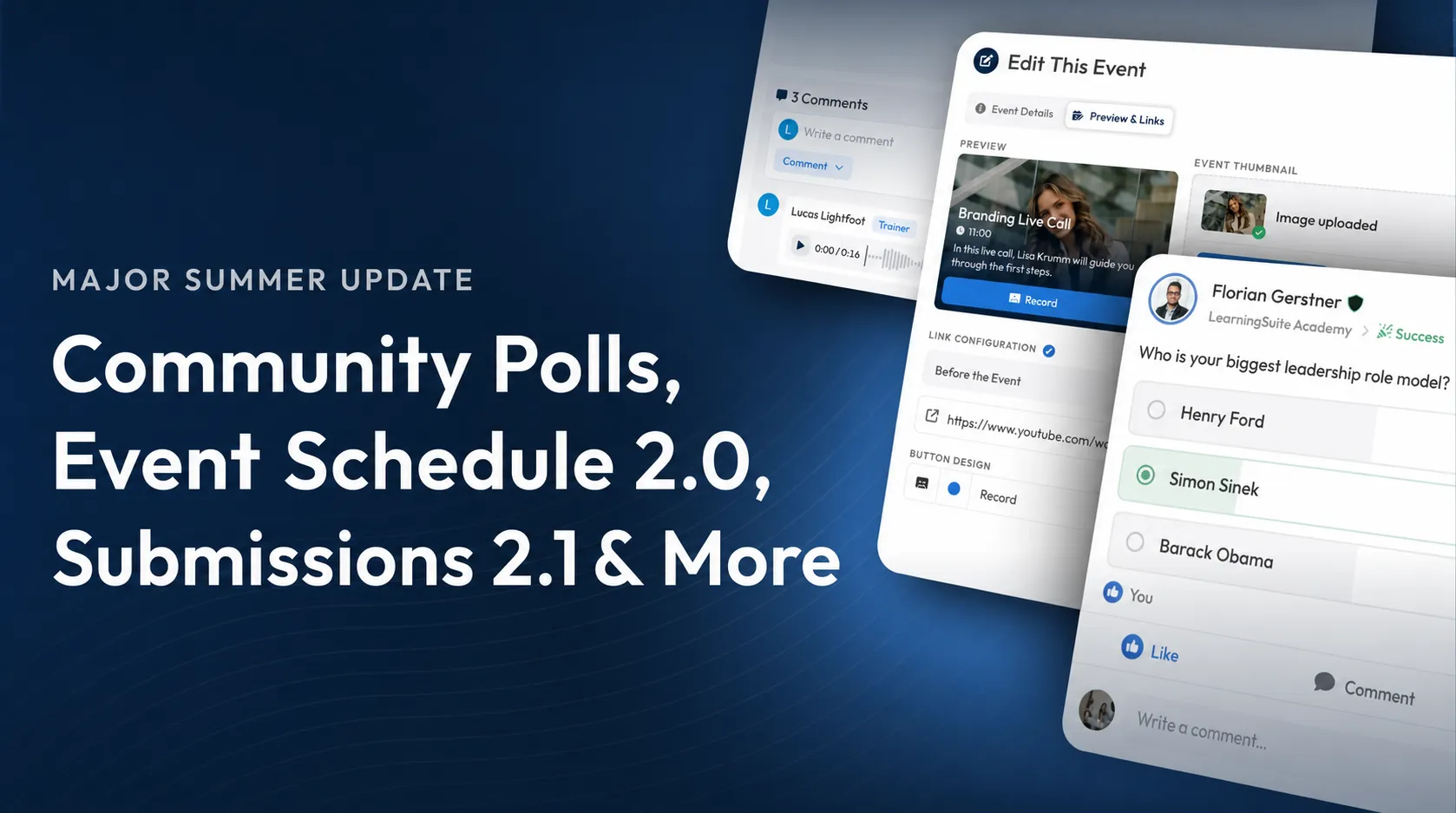
Community Polls
You can now create your own polls directly in your LearningSuite Community to quickly collect feedback, opinions, or votes from your Members.
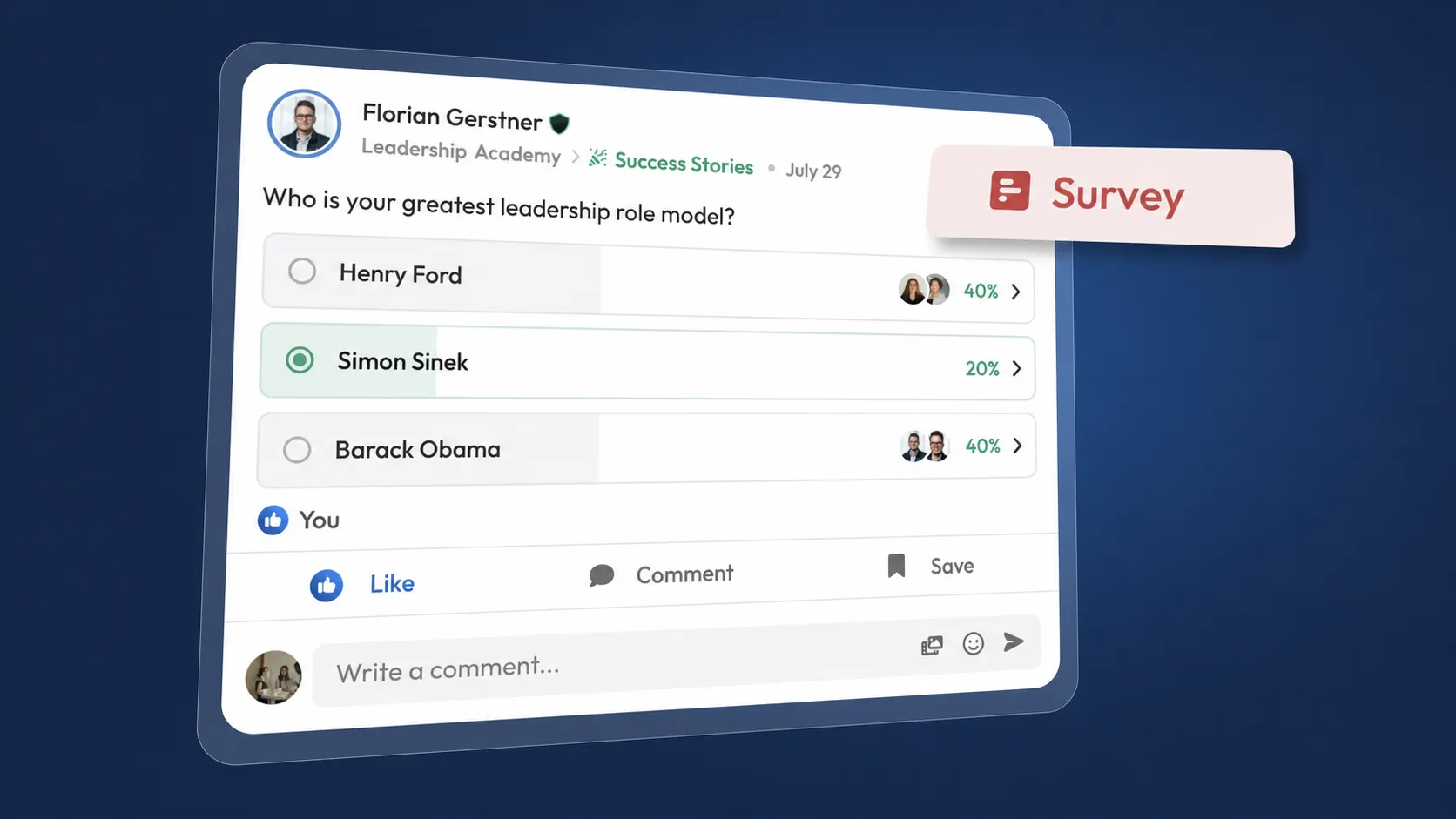
Poll Options Include:
- Single or multiple choice
- Time-limited polls
- Manually close polls
- Detailed results and vote distribution
- Images for individual answer options
Now you can run polls and collect feedback directly where your Community already connects.
Improvements
- AI Agents have been optimized for smartphones and are now easier to use in full-screen mode on mobile.
- For video-type Member Properties, you can now record videos directly in LearningSuite.
- When copying responses from AI Agents, formatting is retained while internal references are automatically removed.
- Member AI credit usage is now displayed more clearly, including available and unlimited limits.
- For date and time fields, you can now optionally take the Member's time zone into account.
- Errors when creating and editing Member Properties are now displayed directly in the form.
- Member Properties, Dashboard widgets, and date and time pickers have been optimized for smaller screens.
- The Event Plan has been improved on mobile devices in terms of display, text wrapping, and navigation.
- When navigating through linked Courses, the button to return to the original Course now remains available at all times.
- The chatbot dialog display has been improved on smaller screens.
- The notifications menu has been visually redesigned and made clearer. The filter for unread notifications has also been improved.
Bug Fixes
- You can now delete bookmarks without issues even if a Lesson has been moved in the meantime.
- You can now create events on mobile devices too.
- Cancellation reasons are now also displayed in the Event Plan on smartphones.
- Rescheduled events now reliably show the new date and time again.
- The Event Plan no longer automatically jumps to the following calendar week on Sundays.
- The Community homepage now always opens correctly in the mobile app.
- Changes to uploaded images and files are now visible immediately without having to reload the page.
- Multiple-choice questions created by the AI Wizard can now be copied and pasted correctly.
- Repeated file uploads in Member Properties no longer cause the app to close on mobile devices.
- Missing or deleted AI Agents and Member Properties now show clear status notices.
- Member managers can once again assign Courses directly through member management.
- Trainer comments on highlighted text within text submissions are now displayed correctly again.
- Locked Courses now show a clearer notice.