.svg)
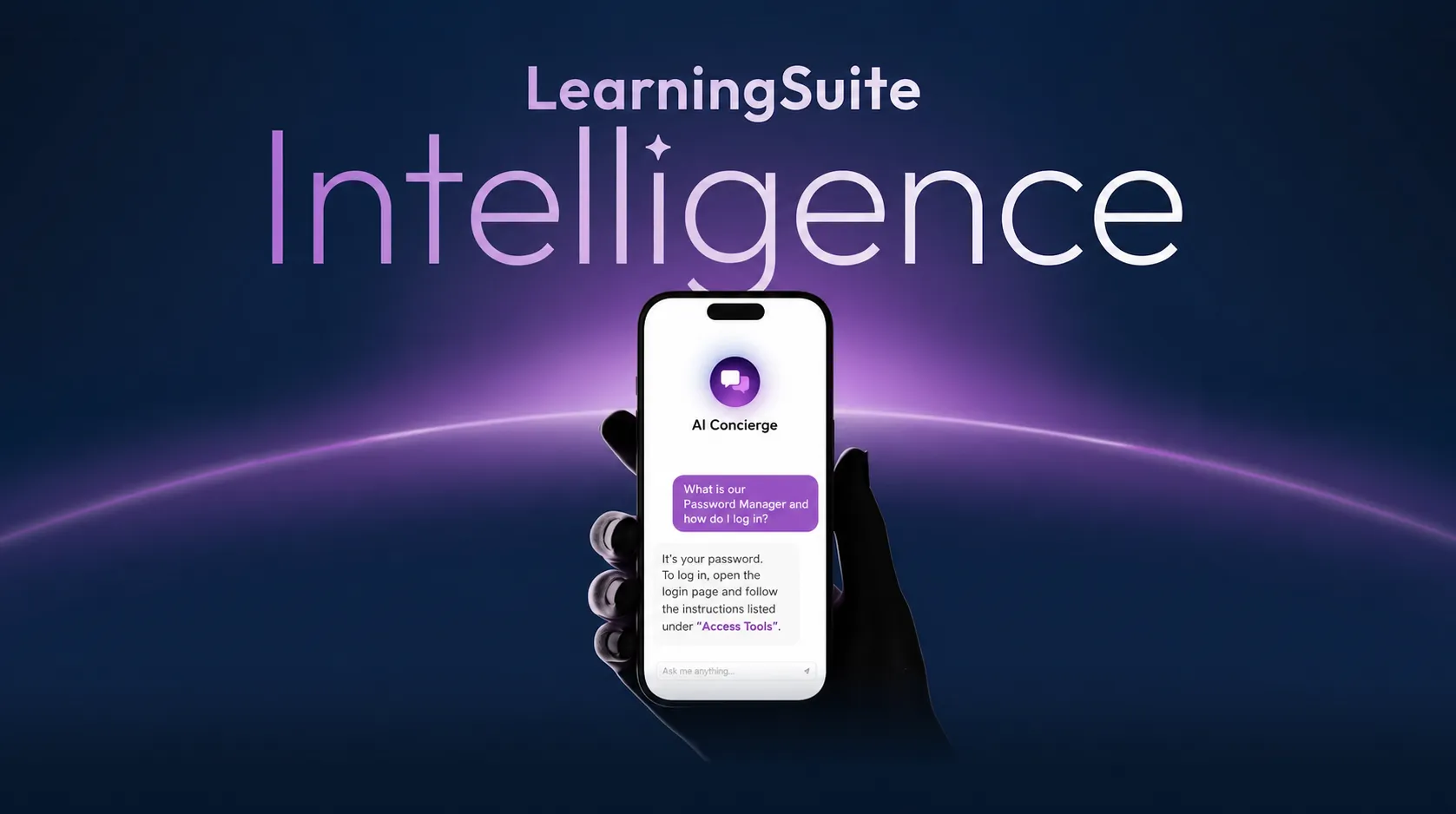
The Major AI Update: LearningSuite Intelligence
With this update, we're introducing one of the biggest expansions to LearningSuite yet: new AI features that make your platform significantly more personal, interactive, and automated.
At the heart of it are three new areas: AI Concierge as a global assistant, AI Agents for specific use cases, and Member Properties for structured personalization of your content.
AI Concierge: Your Global Assistant in LearningSuite
AI Concierge is a central assistant available to your users everywhere on the platform. It helps answer questions faster, provides guidance, and delivers support exactly where it's needed.
For example, you can use AI Concierge to make course content easier to find, answer frequently asked questions automatically, or give users a central place to get help.
In the configuration, you define exactly how AI Concierge should behave. This includes its persona, AI model, tone of voice, form of address, response length, and emoji use. You can also add a fallback message for when AI Concierge can't answer a question.
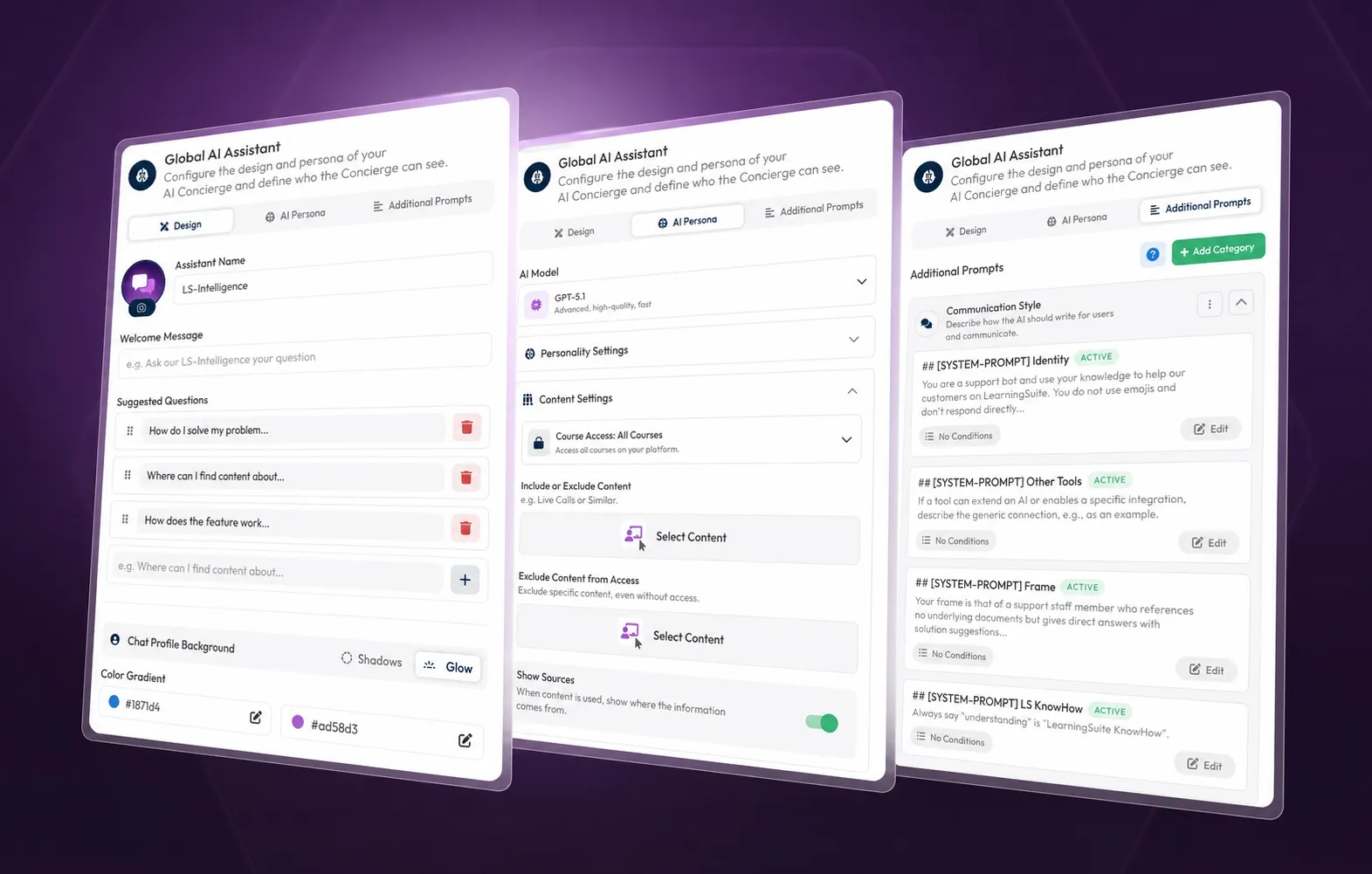
You also control which content AI Concierge can access. It can access only courses a Member is authorized to view, all courses with special knowledge tolerance, or all courses. You can also specifically include or exclude content, enable Web Search, add documents, and take Member Properties into account.
That means AI Concierge can do more than answer general questions—it can also provide personalized answers. For example, if a Member has certain intolerances saved in their profile, AI Concierge can tailor suitable recommendations or recipes accordingly.
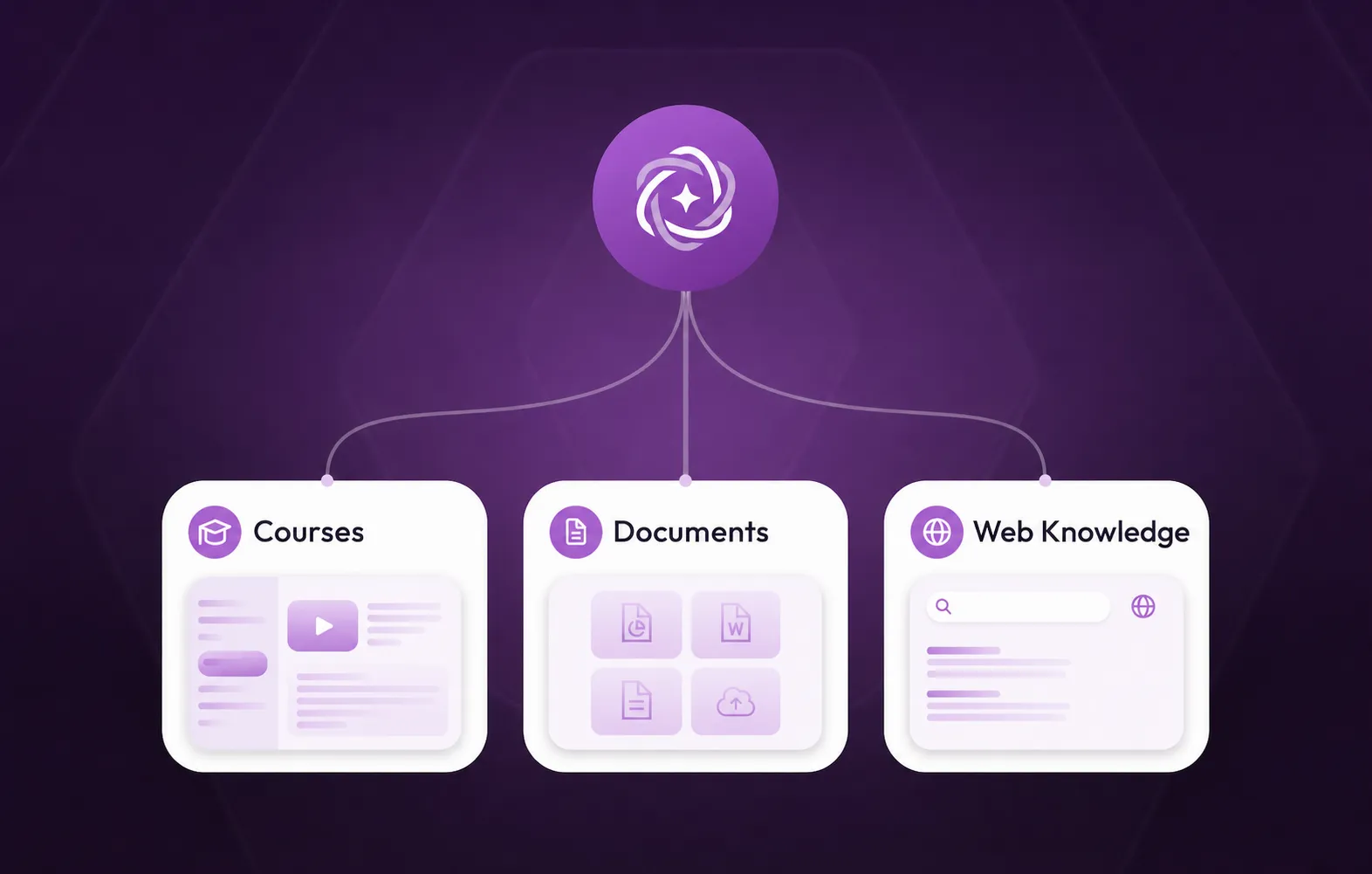
AI Agents: Specialized Bots for Specific Use Cases
While AI Concierge is available globally, AI Agents are designed for targeted use. You can embed them directly into content and specific areas, such as lessons, Hubs, or Pop-ups.
An AI Agent can serve a very specific purpose: as an FAQ bot, coaching bot, support bot, writing assistant, mindset bot, or conversation assistant. You decide where the AI Agent is used, how it looks, which prompts it uses, and which task it should take on.
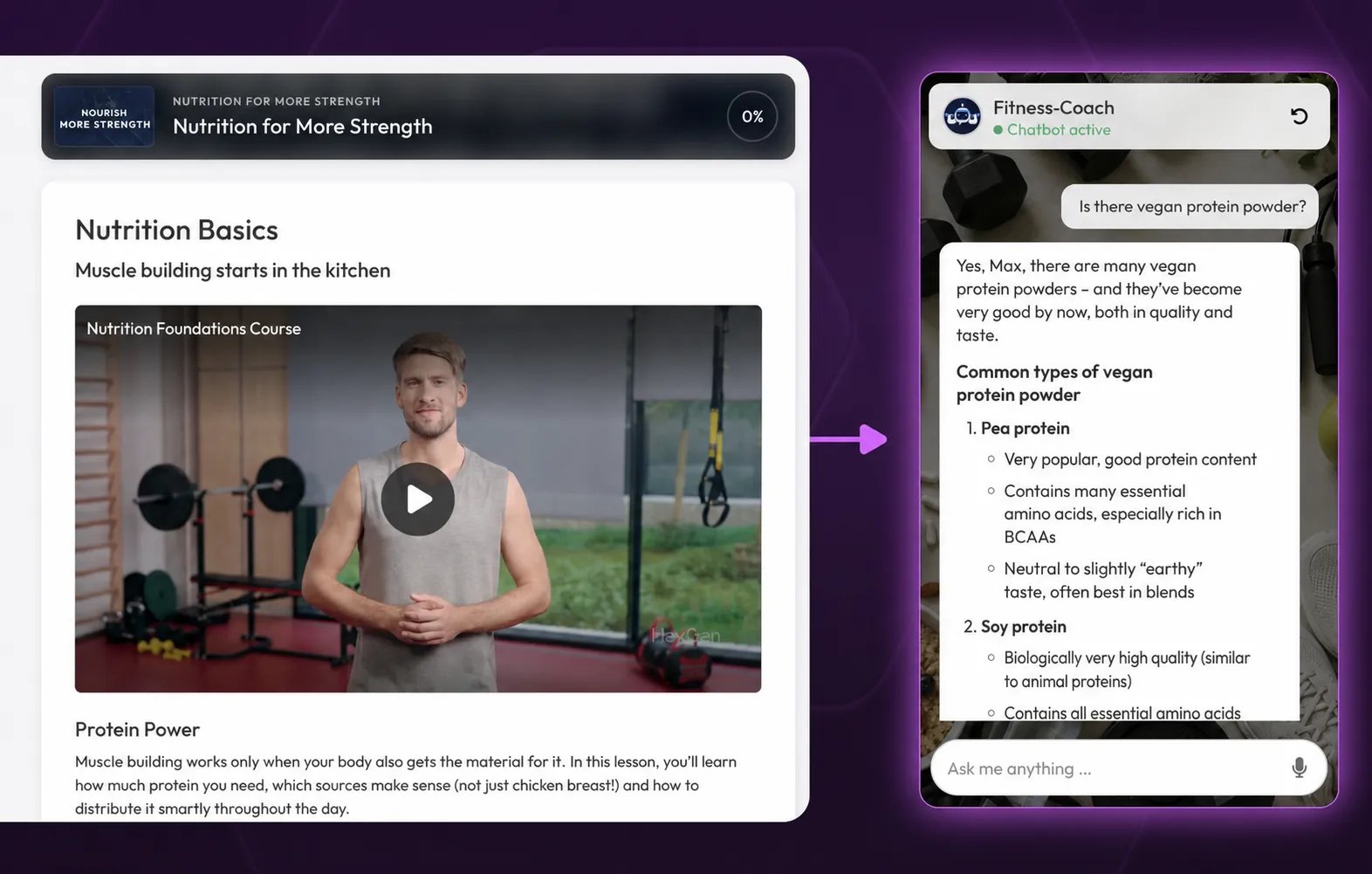
In a lesson, for example, you can add the “AI Agent” element and then connect the right AI Agent. This creates interactive content that doesn't just deliver information—it works directly with the Member.
AI Agents can also access course content and Member Properties. This lets you create highly individual use cases, such as personalized recommendations, context-specific guidance, or answers based on previous information.
Currently, AI Agents can access lesson text, videos, and transcripts. Exam content, file attachments, Hubs, Community, and Event Plan are not currently supported.
The Key Difference
AI Concierge is your global assistant. It's always available, isn't tied to a specific process, and is ideal as a central source of help within your platform. Think of it as a small support version of yourself, ready to answer questions and provide guidance at any time.
AI Agents, on the other hand, are specialized bots for specific use cases. You embed them directly into content, where they work in a highly contextual way—for a particular Module, lesson, or process, for example.
Member Properties: Structured Data for True Personalization
Member Properties are structured additional details you can save for your Members. These can include goals, nutrition data, body data, onboarding information, clothing sizes, emergency contacts, or detailed free-text responses from forms.
This data helps you organize Members more effectively, communicate with them more precisely, and personalize content more deeply. At the same time, you can map internal processes directly in LearningSuite, such as onboarding, as-is analyses, questionnaires, or individual profile information.
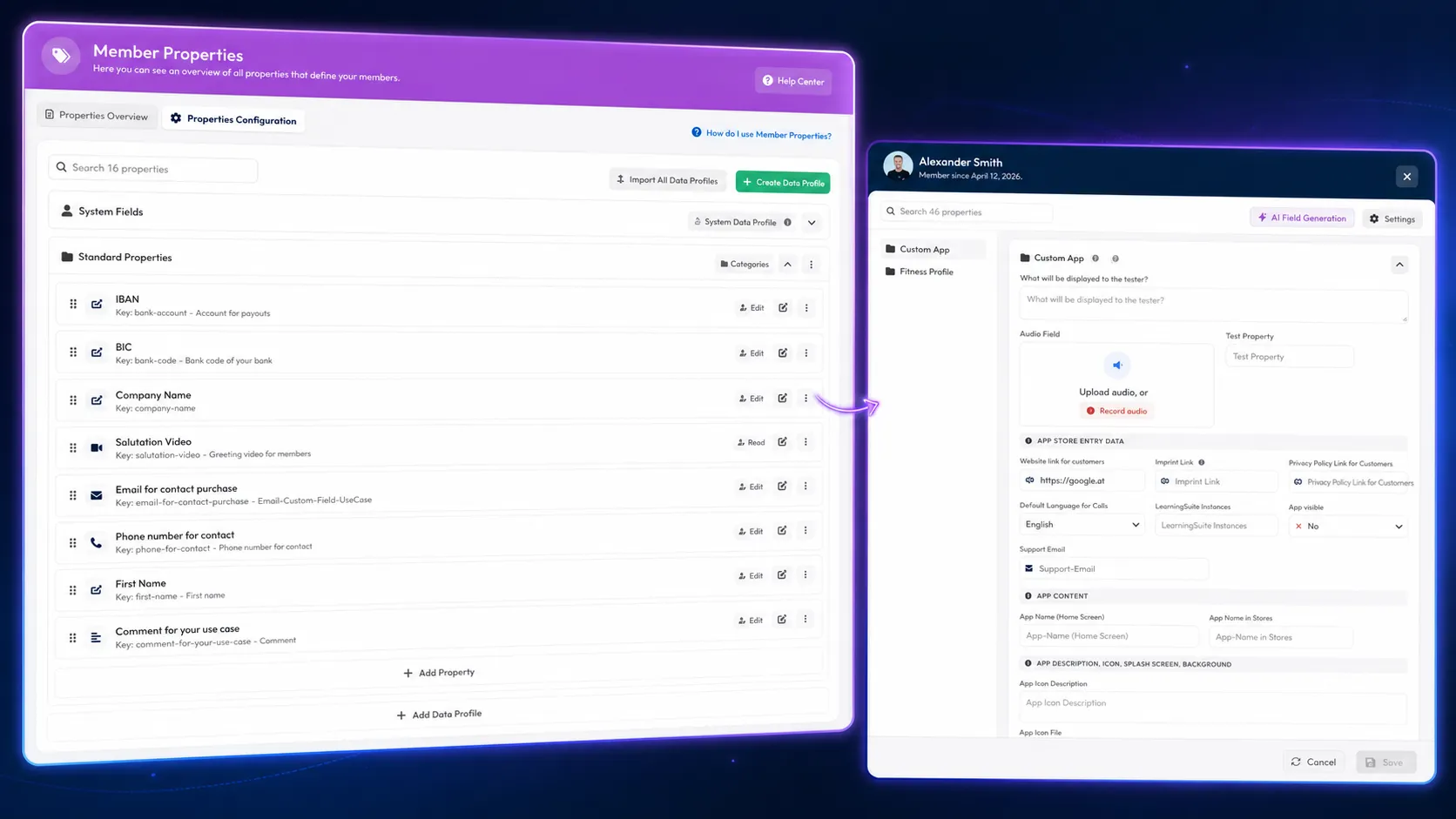
You create Member Properties under “Properties” and organize them in profiles or cards. Members can fill them out themselves, or you can add them in the Member Pop-up, through the property overview, or automatically via external systems and the API.
The feature becomes especially powerful when combined with content. You can use Member Properties directly as placeholders in text. You can also use properties in media elements, buttons, links, and checklists. This creates content that automatically adapts to each Member.
Personalized AI With Member Properties
The combination of AI Agents, AI Concierge, and Member Properties opens up entirely new possibilities.
A coaching bot can respond to a Member's goals. A nutrition assistant can account for intolerances. An onboarding AI Agent can answer questions based on Employee data already saved. And AI Concierge can give users more than general help—it can deliver answers that truly match their individual profile.
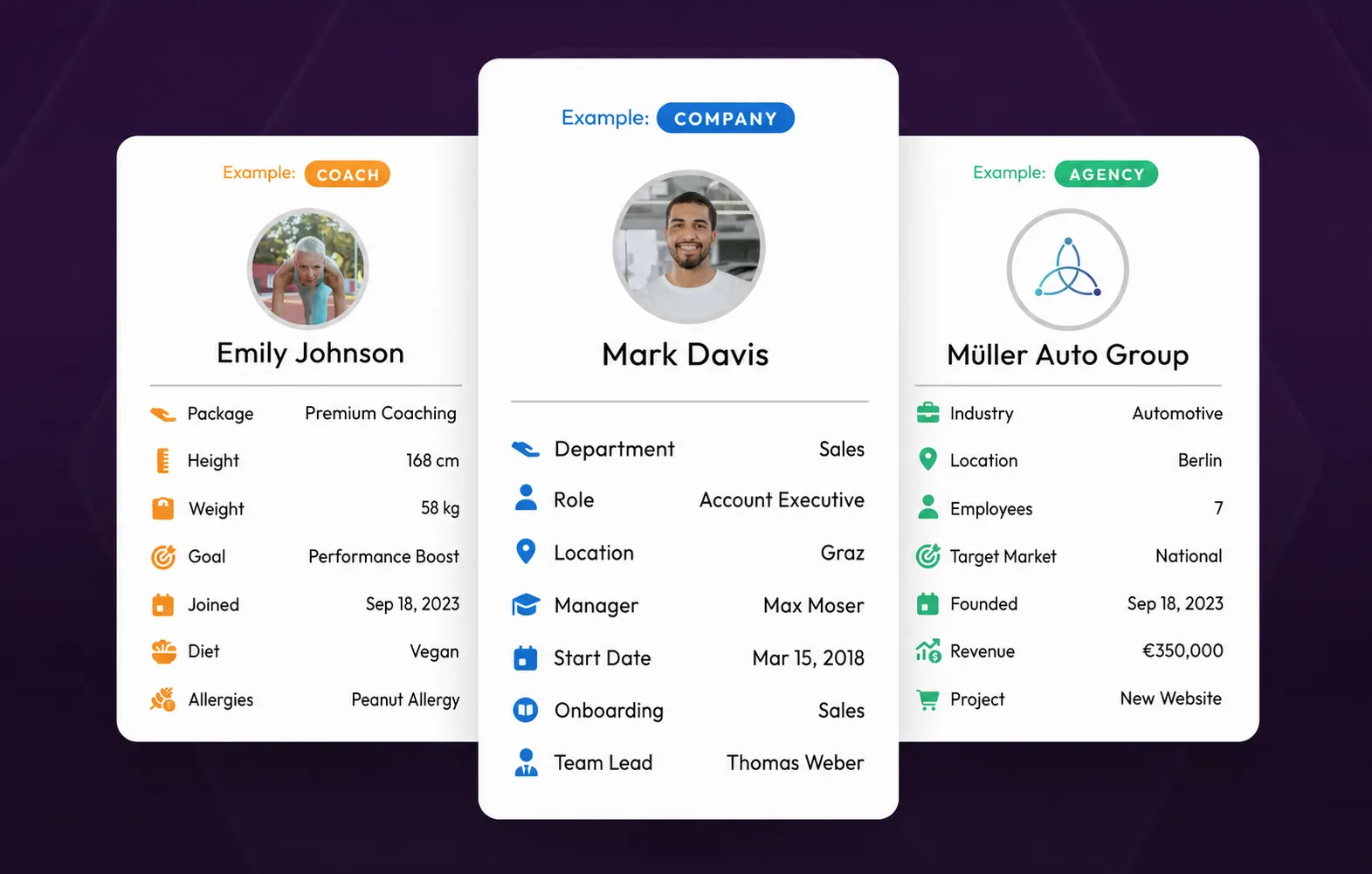
Important: Member Properties don't replace regular submissions. For assessable work and traditional submissions, you still use the submission feature. Member Properties are designed to store structured information permanently for each Member and make it available for content, processes, and AI features.
Conclusion
With the new AI update, LearningSuite becomes significantly more personal and intelligent. AI Concierge supports your users across the entire platform. AI Agents enable specialized assistants directly within your content. And Member Properties create the foundation for true personalization.
This transforms a traditional learning platform into an interactive system that doesn't just provide content, but actively supports, guides, and responds to your users as individuals.