.svg)
Course Categories & Many New Improvements
Over the past few weeks, we have worked on many areas of the platform. In addition to new features, the focus was primarily on usability, clarity and performance.
This update brings completely redesigned course management, numerous improvements for the Community and many design and performance optimizations across the entire system.
Expanded course overview for greater structure and clarity
The course overview has been comprehensively redesigned and now offers significantly more options for organizing and managing learning content. At the same time, sorting has been improved so that content can be found more quickly.
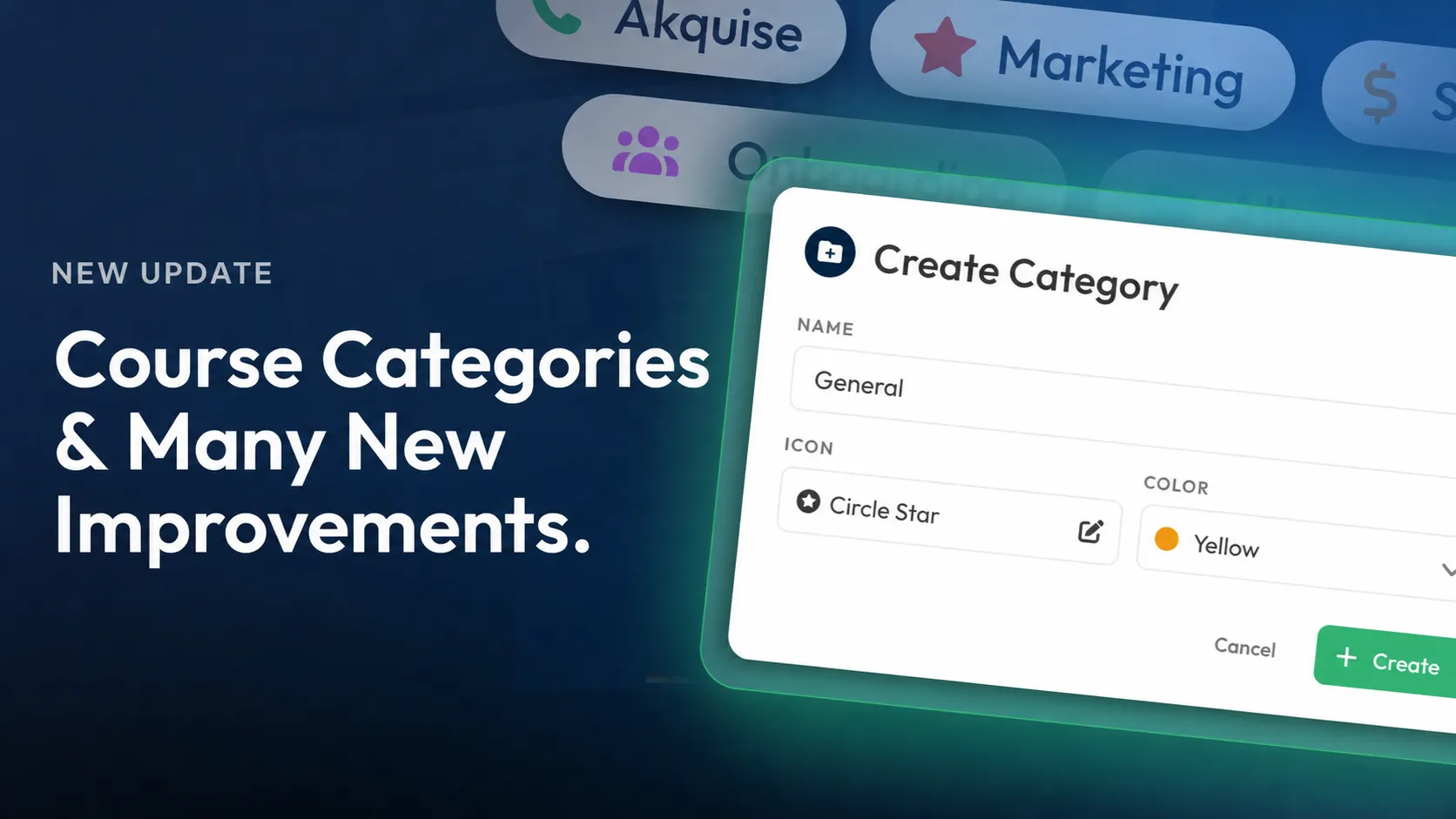
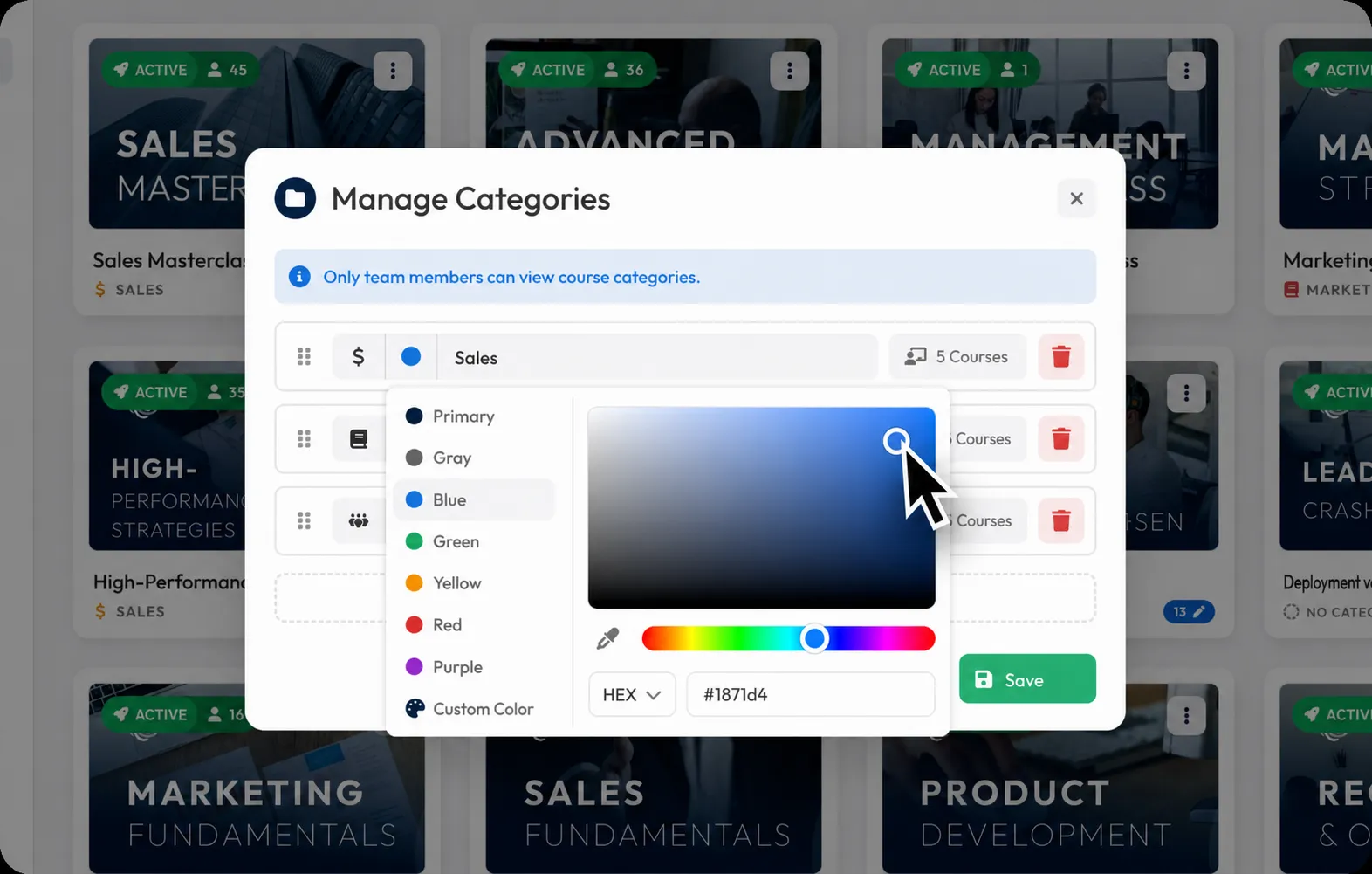
Another focus was on introducing Course Categories. Courses can now be categorized in a structured way, keeping even extensive libraries organized. In addition, dedicated category management is available, allowing categories to be created, edited, deleted and individually sorted.
The redesign is rounded off by modernized navigation, making it much more pleasant to switch between different areas.
Create Community posts via API
From now on, Community posts can be created directly via the API. In addition to simple posts, mentions of Members and links to Courses are also supported.
This makes it even easier to connect external systems with the Community. For example, automated processes, integrations or third-party applications can publish content directly to the Community while linking relevant people or learning content.

Custom starting point for the mobile app
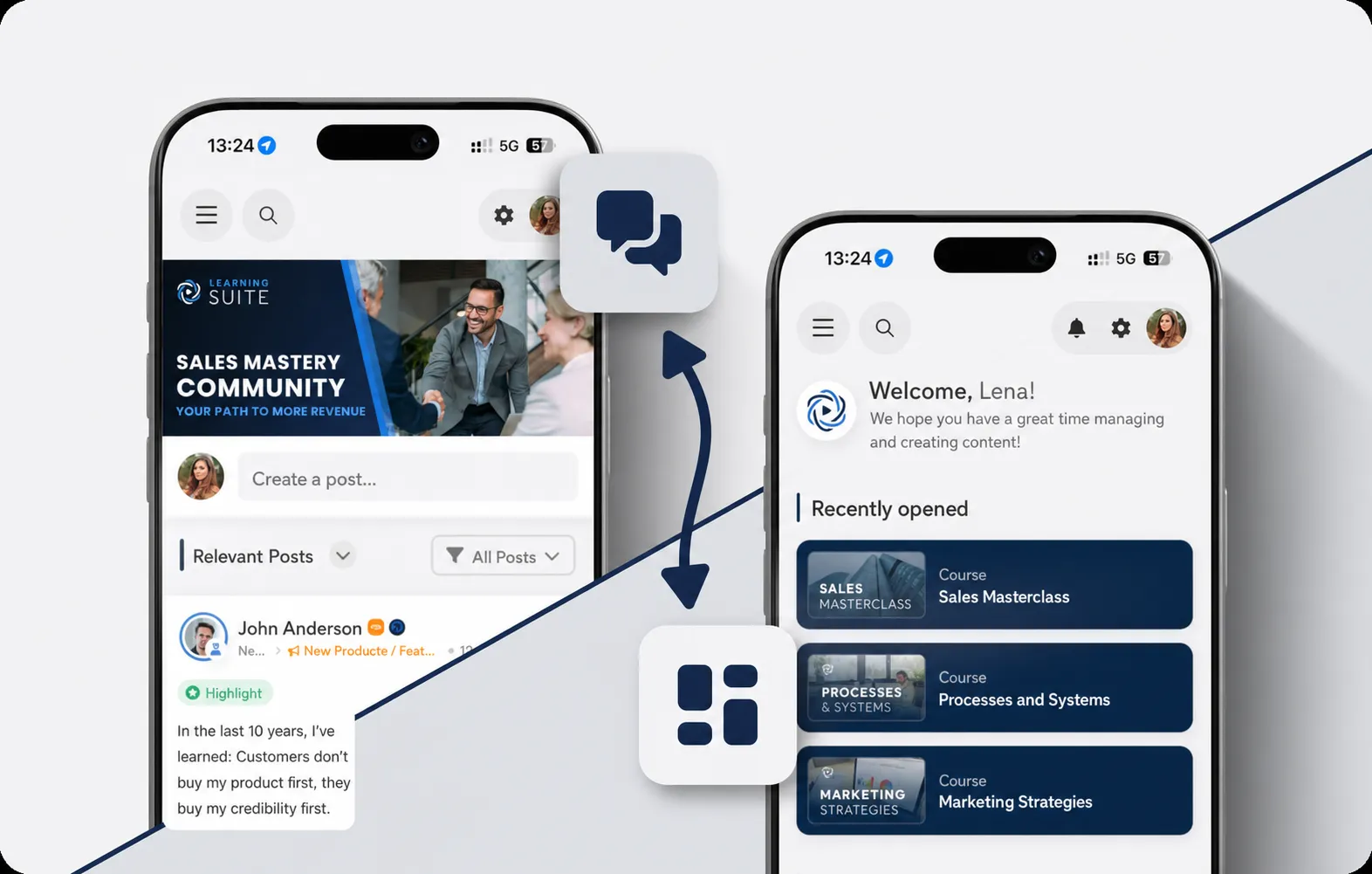
You can now define which area should open when the mobile app starts.
Administrators can choose whether Users land directly on the Dashboard or in the Community. This allows the app to be better adapted to different usage scenarios. Companies with a strong Community focus can, for example, place interaction between Members at the center, while other organizations prioritize quick access to learning content.
Improvements to the thumbnail editor
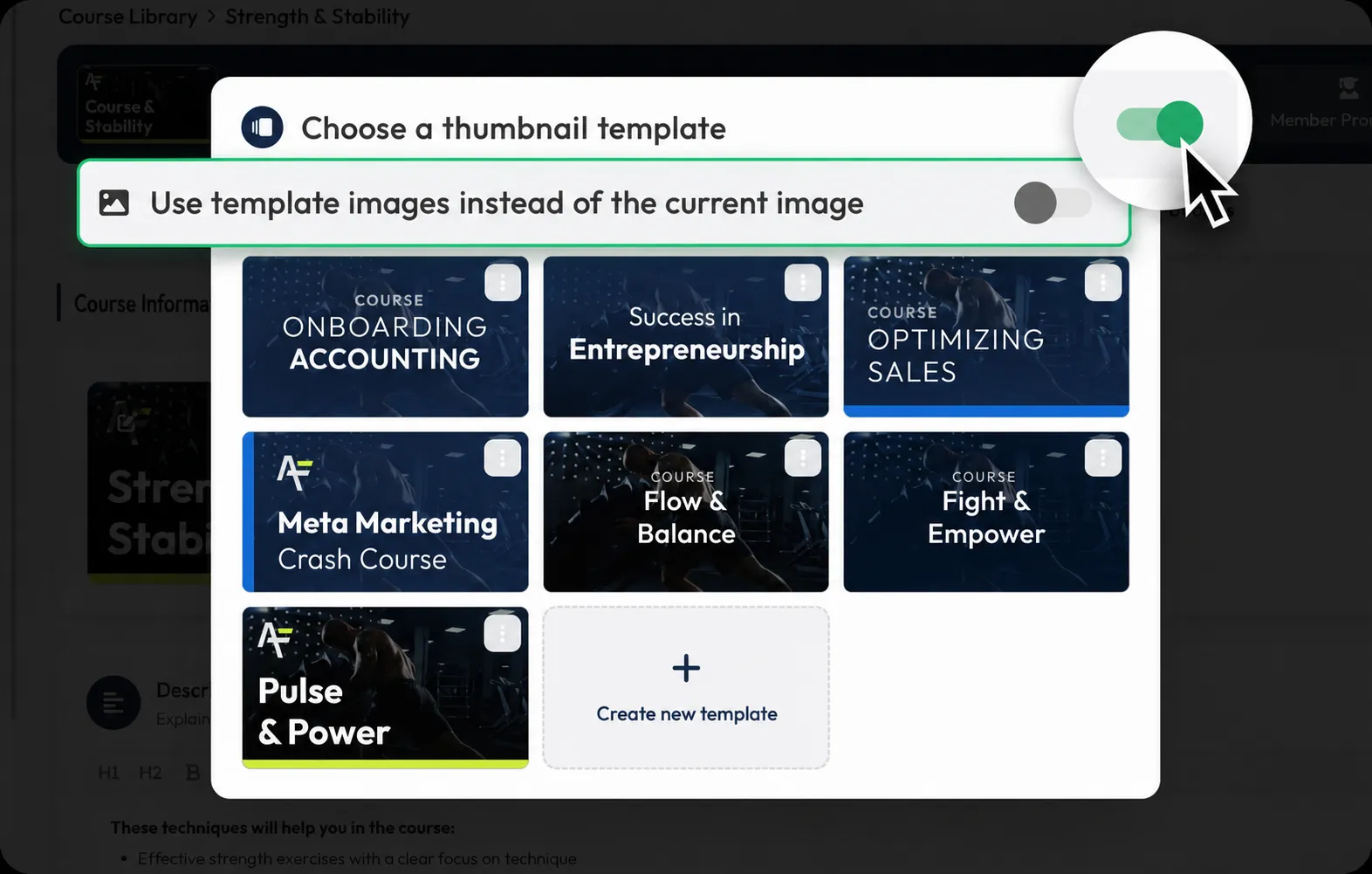
The thumbnail editor has been further improved and now offers more flexibility when editing existing thumbnails. When editing, you can now switch between the currently used image and images from templates. This makes it easier to adjust existing thumbnails without having to start completely from scratch.
Default templates also automatically display the relevant context, for example Course, module, Lesson or exam. This makes it quicker to see which template is intended for which content.
In addition, the thumbnail dialog has been redesigned in several areas. Selecting and editing templates is now clearer, more stable and more reliable.
Unified color picker across the entire platform
The new color picker is now used across the platform. This creates a more consistent user experience and allows colors to be selected in the same way everywhere.
In addition to visual consistency, this also ensures faster operation and better recognizability throughout the platform.
Redesigned image preview with improved gallery view
The image preview has been completely modernized and now offers a unified experience in the editor and Community.
The display has been improved especially on mobile devices, making images more convenient to view. In addition, the gallery view has been expanded and now offers practical thumbnails for faster navigation between multiple images.

New dialog for connecting modules
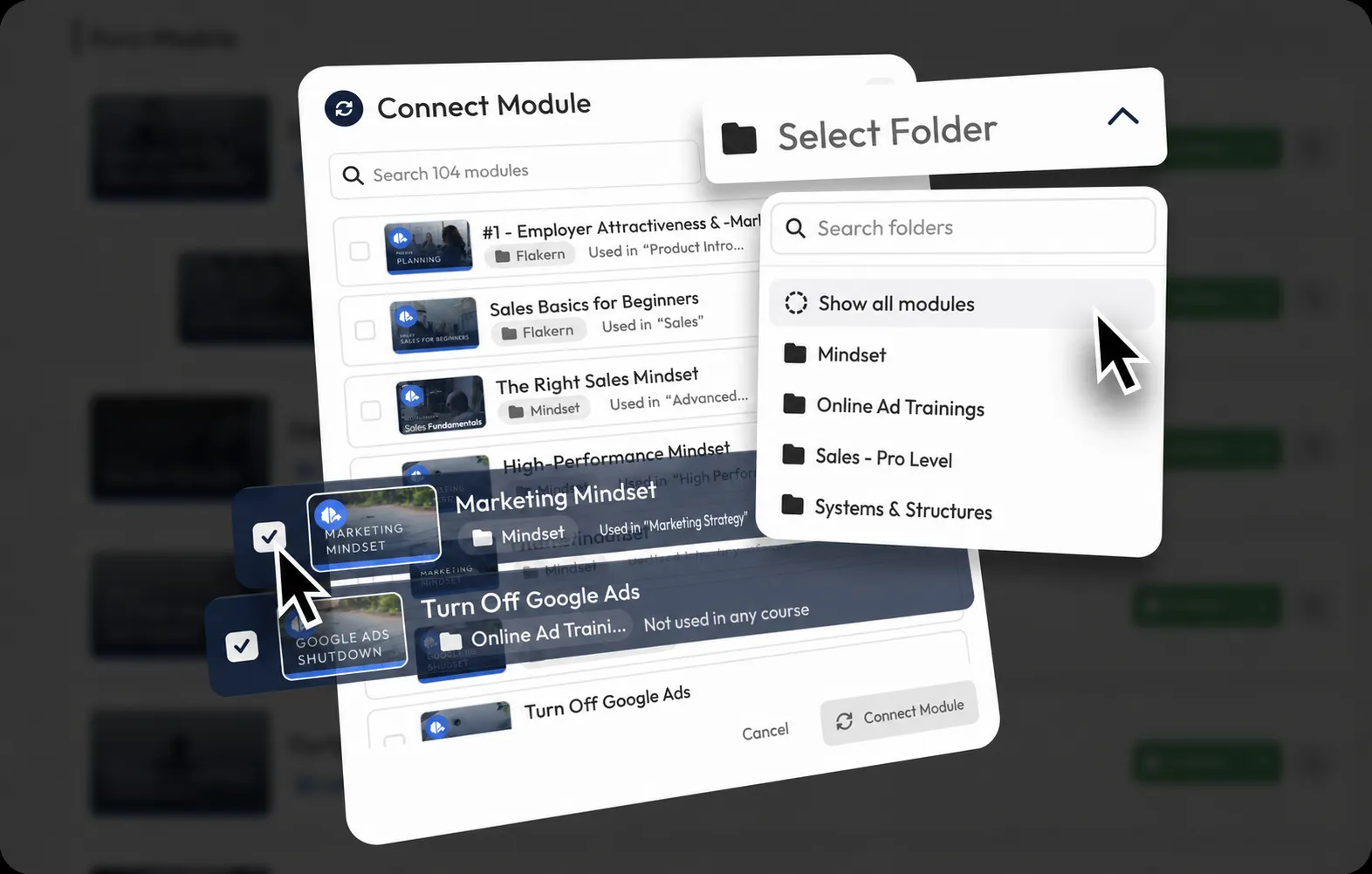
The dialog for connecting modules has been completely redeveloped.
Significantly faster search, additional filtering options and a clearer display make it considerably easier to select suitable modules. Especially for larger course structures, the new interface noticeably saves time in management.
Further minor improvements
- The sidebar has been made more compact and requires less space.
- The video player's volume is now retained on desktop devices when switching between videos.
- Save buttons in forms are now only activated when changes have actually been made.
- Image cropping has been optimized, meaning uploaded images require significantly less storage space.
- Table views have been modernized and standardized:
- More consistent display of labels, icons and columns
- Improved clarity
- Optimized page navigation
- The user pop-up has been restructured and organized more clearly.
- Over 30 new icons have been added to the Icon Picker.
- The management of billing and payment data has been modernized and made clearer.
- Video transcripts are now created significantly faster.
- Bundle creation has been redesigned and significantly simplified. The new structure makes the individual steps easier to follow and content can be compiled more quickly. This makes management much more pleasant, especially for more extensive learning offerings.
- Analytics charts on mobile devices are larger and therefore easier to read.
- Breadcrumbs are now more compact and have a unified design across the entire platform.
Bug fixes
- Lists from external applications such as Google Docs can now be pasted into the editor and Community discussions without errors.
- Course, module and Lesson thumbnails are now compressed more efficiently, allowing images to load significantly faster.
- Deleting a Course no longer interrupts ongoing exams.
- Community notifications also work correctly when the original author of a post has already been deleted.
- The “Show more” button now works reliably for all posts.
- Submissions created via the API now use the same IDs as the platform interface.
- The Community area is displayed correctly again on mobile devices when adding new Members.
- Unnecessary save buttons are no longer displayed in certain form views.
- Bookmarks sorted by modules no longer cause errors.
- The label “Warning” has been replaced with the more understandable “Note” in the user interface.